Features/Reports & certificates
Try it free →
04
Deliver · Reports, awards & certificates

Outputs that look great - generated by a wizard, not a maze.

The deliverables of every event - award lists, full results, team classifications, certificates - produced through guided builders. Save the template once, reuse it for every event.

Build
Guided wizard, live preview
Awards
Public decoration link
Certificates
Placeholders, A4 and share tiles
Export
CSV, TXT or branded PDF
The report builder

A guided wizard, with a preview that keeps up.

Building a report shouldn't feel like wrestling a spreadsheet. The builder walks you through it one clear step at a time - pick your data, choose a ranking, add filters, group it, pick the columns - and the preview on the side updates as you go, so you always see exactly what comes out.

racetime.net / event / reports / builder
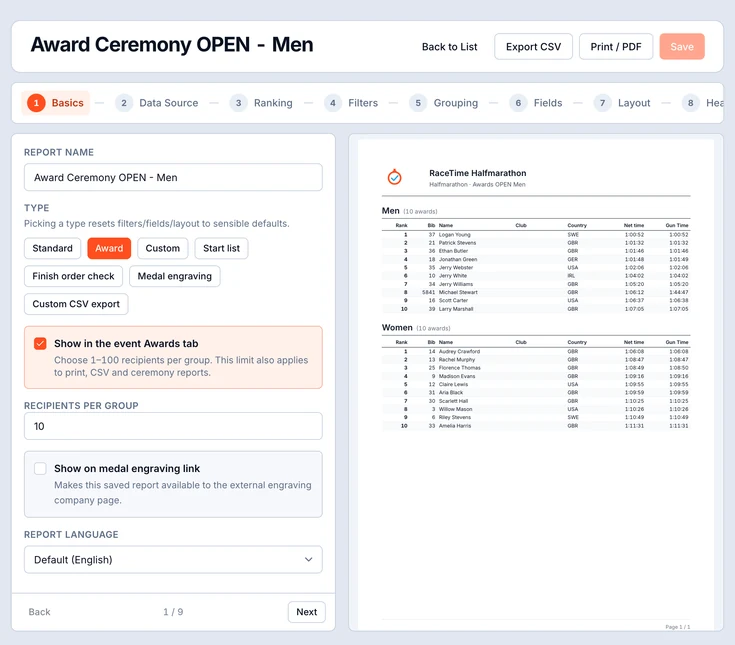
Report builder - a multi-step wizard (Basics, Data Source, Ranking, Filters, Grouping, Fields, Layout, Header/Footer, Review) with a live preview of the chosen columns
Nine guided steps

Basics to Review, with nothing to memorise.

Each step does one job. The live preview means you never hit "generate" and hope - you watch the report take shape.

  • Step through it - Basics → Data Source → Ranking → Filters → Grouping → Fields → Layout → Header/Footer → Review.
  • Pick & reorder columns - a column picker with drag controls, so the report shows what matters in the order you want it.
  • Live preview - the right side renders your real data and refreshes the moment you change a choice.
  • One-click export - download a CSV for the spreadsheet crowd, or print a branded PDF for the podium.
  • Save as a template - keep the whole setup and reuse it on your next event in one click.
9-step wizard
From Basics to Review, each step focused on one decision - no settings maze, no guesswork.
Live preview
Your real data renders alongside the builder and updates as you pick and reorder columns.
Reusable templates
Save a report's full setup once and apply it to every future event in a single click.
CSV + PDF
Export a spreadsheet for analysis or a branded PDF ready to print and pin to the board.
Awards & the decoration link

Every report in one place - and a link for the podium crew.

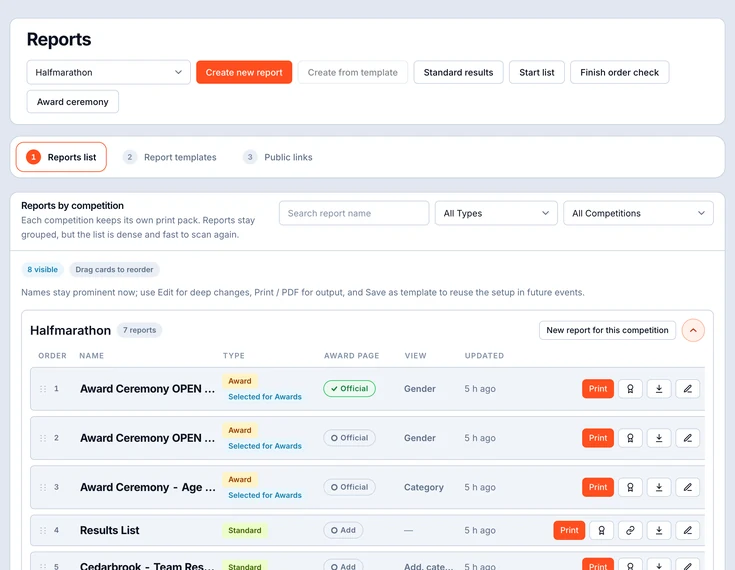
All the reports you've built live together, grouped per competition, saved and searchable. Re-run any one on the latest data with a click. And for the people calling names at the podium, there's a public award-ceremony link that shows them exactly what they need - no admin login required.

Reports list - every generated report grouped per competition, saved, searchable and re-runnable on the latest data
The reports list. Every report you've built, grouped per competition, saved and searchable. Drag to reorder, re-run on the latest data, print or PDF inline, and save any setup as a reusable template.
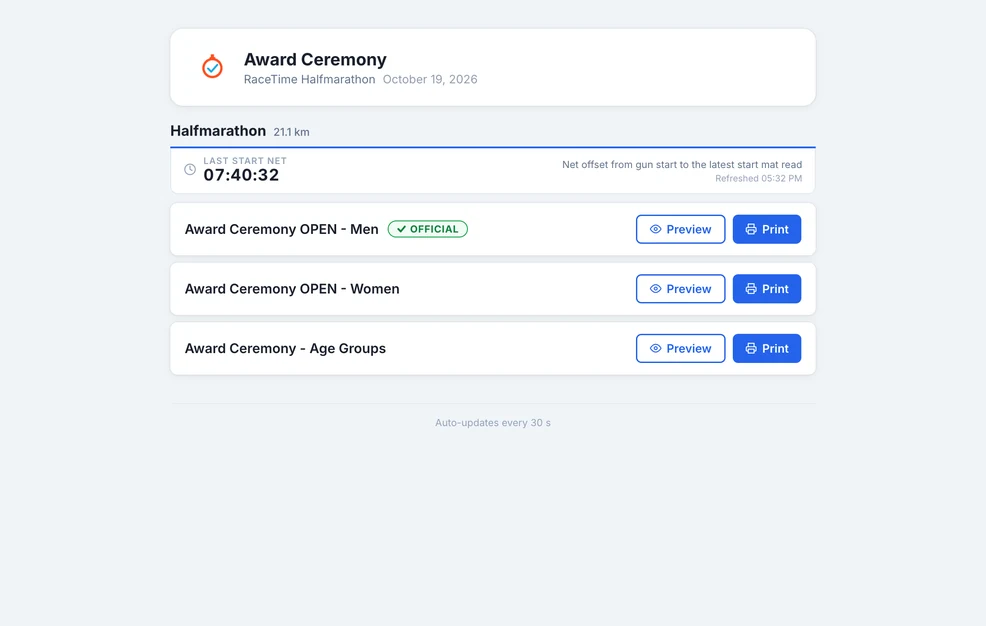
Public award-ceremony link - per competition it shows the last-start time plus the reports list with Preview and Print, auto-updating
The public award-ceremony link. Share one link with the decoration crew. Per competition it shows the last-start time plus the reports list, each with Preview and Print, and it auto-updates as results settle - so they always call the right podium.
Certificates

Drop a background. Drop placeholders. Done.

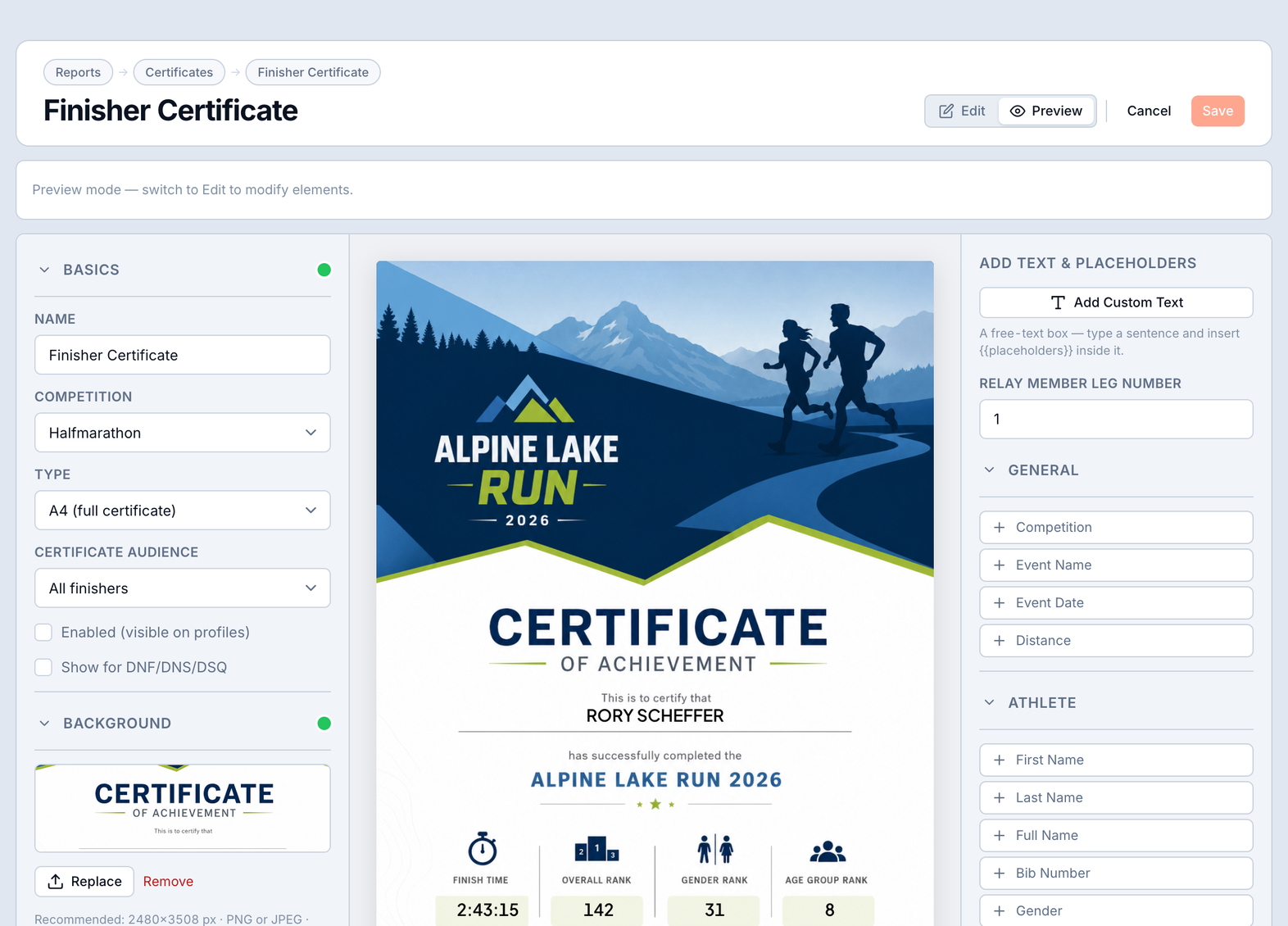
A finisher certificate for every athlete shouldn't take an afternoon in a design tool. Upload your background, drop the fields you want anywhere on the canvas, and the certificate generates itself for every single finisher - name, time, position, even split, stage and relay-leg times.

A drag-and-drop canvas

Branded certificates, one per finisher.

Design it once on the canvas; the certificate prints with each athlete's own data filled in. Save it as a template and reuse it next time.

  • Your background - upload a design and drop placeholders anywhere on top of it.
  • Any field, any spot - name, time, position, category, category rank, splits and team fields, placed exactly where you want them.
  • Per-athlete share text - ready-made copy each finisher can post alongside their certificate.
  • Reusable templates - design once, apply to any event; one certificate generated for every finisher.
racetime.net / event / certificates / builder
Certificate builder - upload a background and drop placeholders for name, time, position, category, age-group rank and a QR code anywhere on the canvas
Also in RaceTime today

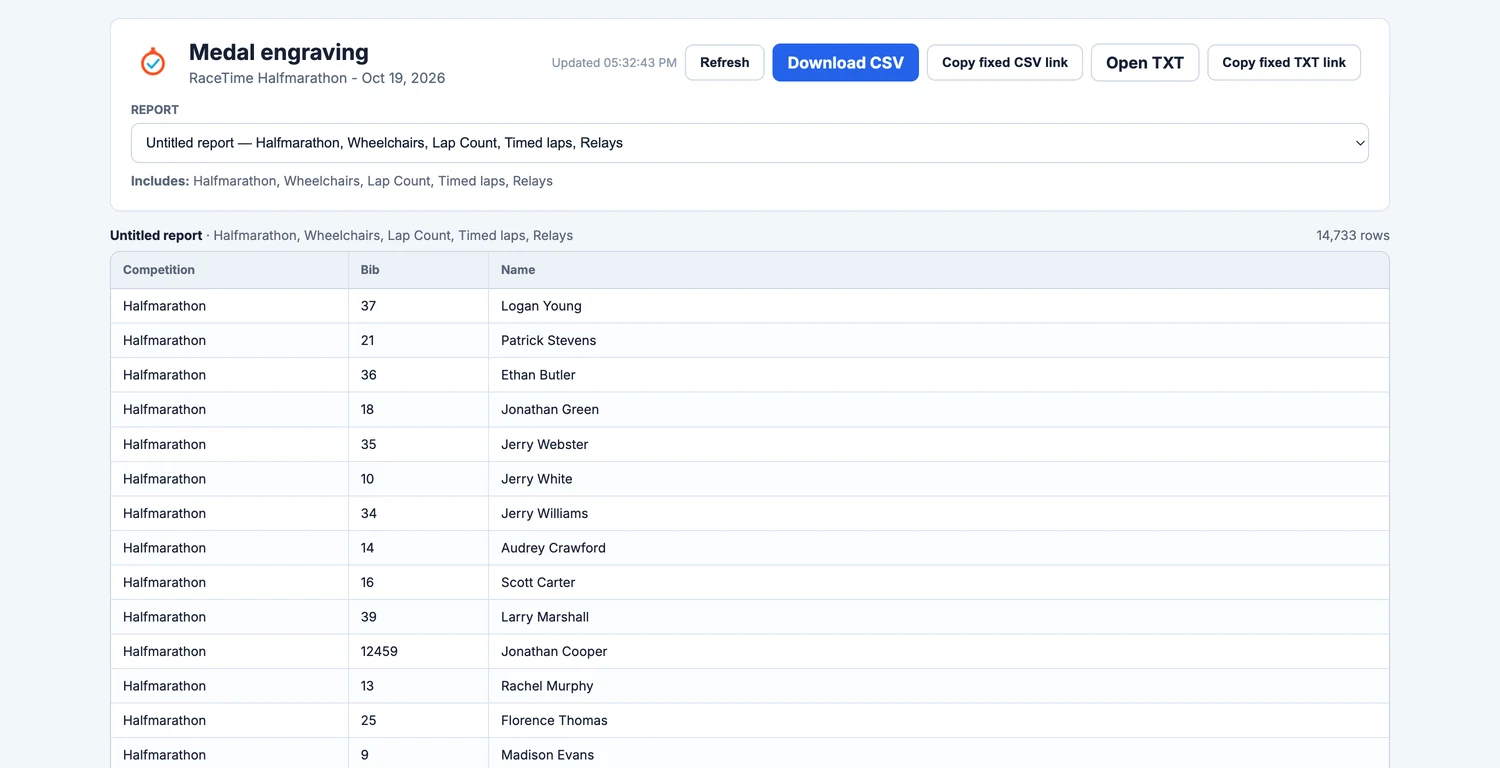
Award links, engraving files and partner exports.

racetime.net / engraving
Public medal engraving page with a report picker, the engraving table, Download CSV and fixed CSV and TXT links

Want guided reports and certificates at your next event?

It's included in your free trial - full access, with a direct line to the team building it.

Try it free →
Keep reading